
SaaS Admin UI Kit
A structured Figma project using reusable components, tables, charts, and dashboard flows.
This course focuses on the habits that make interface work faster and cleaner inside Figma. You will learn how to organize files, build reusable systems, and design responsive screens without losing consistency.
It is ideal for learners who know the basics of the tool but want stronger output, cleaner systems, and a more professional workflow from start to finish.

Figma Workspace and Design Setup Lesson 1
'%3e%3cpath%20d='M19.8071%2010.8151C19.9348%2010.5624%2020.0013%2010.2832%2020.0013%2010.0001C20.0013%209.71695%2019.9348%209.43778%2019.8071%209.18508C19.1921%207.95706%2015.513%203%2010.001%203C4.4889%203%200.81085%207.95806%200.195843%209.18408C0.0671064%209.437%200%209.71678%200%2010.0006C0%2010.2844%200.0671064%2010.5642%200.195843%2010.8171C0.81185%2012.0441%204.4919%2017.0002%2010.001%2017.0002C15.51%2017.0002%2019.1911%2012.0421%2019.8071%2010.8151ZM10.001%2016.0002C4.9989%2016.0002%201.64986%2011.4861%201.08885%2010.3681C1.03113%2010.2542%201.00105%2010.1283%201.00105%2010.0006C1.00105%209.87289%201.03113%209.74699%201.08885%209.63308C1.64986%208.51507%204.9969%204.00001%2010.001%204.00001C15.005%204.00001%2018.3521%208.51507%2018.9131%209.63208C18.9708%209.74599%2019.0009%209.87189%2019.0009%209.99959C19.0009%2010.1273%2018.9708%2010.2532%2018.9131%2010.3671C18.3521%2011.4851%2015.005%2016.0002%2010.001%2016.0002ZM10.001%207.00005C8.34694%207.00005%207.00093%208.34607%207.00093%2010.0001C7.00093%2011.6541%208.34694%2013.0001%2010.001%2013.0001C11.655%2013.0001%2013.001%2011.6541%2013.001%2010.0001C13.001%208.34607%2011.655%207.00005%2010.001%207.00005ZM10.001%2012.0001C8.89795%2012.0001%208.00094%2011.1031%208.00094%2010.0001C8.00094%208.89707%208.89795%208.00006%2010.001%208.00006C11.104%208.00006%2012.001%208.89707%2012.001%2010.0001C12.001%2011.1031%2011.104%2012.0001%2010.001%2012.0001Z'%20fill='%23585858'/%3e%3c/g%3e%3cdefs%3e%3cclipPath%20id='clip0_3240_5654'%3e%3crect%20width='20'%20height='20'%20fill='white'/%3e%3c/clipPath%3e%3c/defs%3e%3c/svg%3e)
Figma Workspace and Design Setup Lesson 2
Figma Workspace and Design Setup Lesson 3
Figma Workspace and Design Setup Lesson 4
Grids, Spacing, and Layout Systems Lesson 1
Grids, Spacing, and Layout Systems Lesson 2
Grids, Spacing, and Layout Systems Lesson 3
Grids, Spacing, and Layout Systems Lesson 4
Typography, Color, and UI Clarity Lesson 1
Typography, Color, and UI Clarity Lesson 2
Typography, Color, and UI Clarity Lesson 3
Typography, Color, and UI Clarity Lesson 4
Components, Variants, and Reusability Lesson 1
Components, Variants, and Reusability Lesson 2
Components, Variants, and Reusability Lesson 3
Components, Variants, and Reusability Lesson 4
Responsive Screens and Auto Layout Lesson 1
Responsive Screens and Auto Layout Lesson 2
Responsive Screens and Auto Layout Lesson 3
Responsive Screens and Auto Layout Lesson 4
Interactive Prototypes Lesson 1
Interactive Prototypes Lesson 2
Interactive Prototypes Lesson 3
Interactive Prototypes Lesson 4
Presentation and Handoff Lesson 1
Presentation and Handoff Lesson 2
Presentation and Handoff Lesson 3
Presentation and Handoff Lesson 4

Product Interface Specialist
Sophia focuses on interface precision and reusable design systems, helping students produce cleaner work with less friction.
Her lessons balance visual polish with system thinking so students understand why consistency matters and how to maintain it across multiple screens.
The course is especially useful for learners preparing product-focused case studies or design system work for client and team environments.
Sophia Collins focuses on clean digital interfaces, scalable component systems, and real workflow habits that help learners design faster and more consistently.
A little familiarity helps, but the course walks through the full workflow clearly enough for motivated beginners too.
Yes. Reusable systems and responsive design habits are a major focus.
It covers both, with strong emphasis on polished UI output and practical setup for real projects.
Yes. The exercises are structured to help you develop strong case-study-ready assets.
A structured Figma project using reusable components, tables, charts, and dashboard flows.
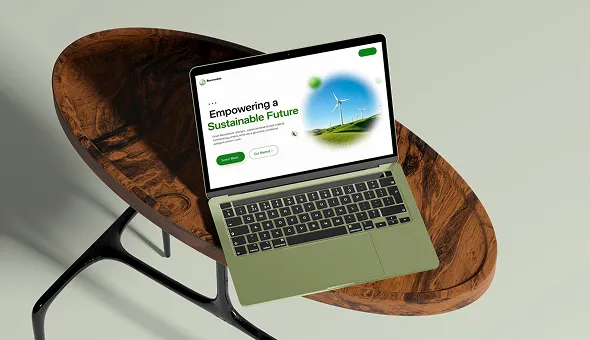
A polished multi-breakpoint interface focused on hierarchy, card systems, and CTA clarity.
A conversion-driven UI exercise built with variants, state handling, and consistent spacing.
Sophia focuses on interface precision and reusable design systems, helping students produce cleaner work with less friction.
Sophia Collins focuses on clean digital interfaces, scalable component systems, and real workflow habits that help learners design faster and more consistently.



Join thousands of learners transforming their careers with expert-led courses designed for real-world success.


